A guide to creating a new Program for an individual Participant or Group.
To create a Program for an individual Participant or Group you'll need to have created a recent Snapshot or Groupshot for them. The suggested Advice and Activities within Motional's Programs are bespoke to the needs of the Participant or Group, based on the scores gathered through the Snapshot or Groupshot. Our behind-the-scenes algorithm will help focus in on the areas that are likely to have the biggest impact on Emotional Wellbeing and Mental Health, and in turn the Participant or Group's readiness to learn. It looks first at low scores in Social Engagement and high scores in Social Defence, and the relationship between them. Not all Subdomains are equally weighted so it won't simply look at the lowest scoring area when offering Program items. CARE and FEAR are always prioritised as these are the Subdomains most closely related with safeguarding.
Step 1
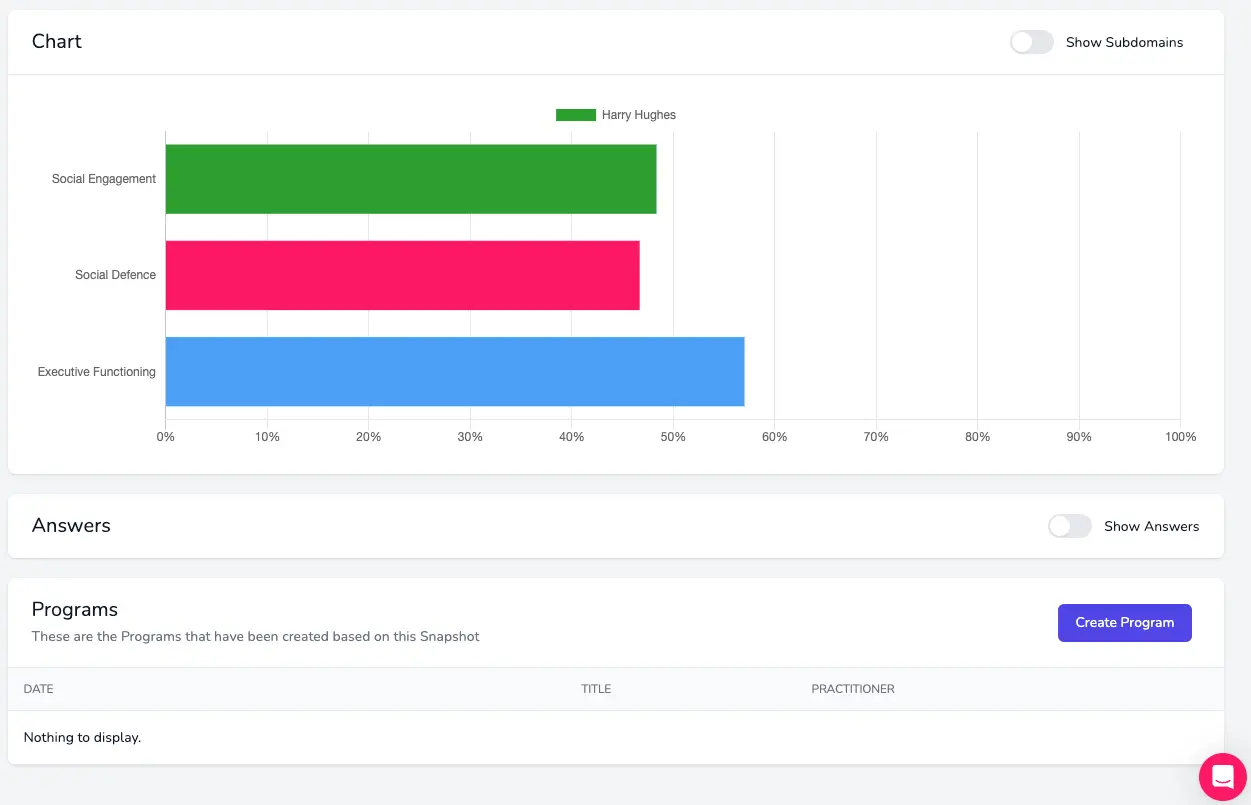
To create a new Program you'll need to first find the Snapshot or Groupshot you want it to be created from. If you've just finishing creating or viewing it, you'll find a Create button at the bottom of the Groupshot or Snapshot results page:
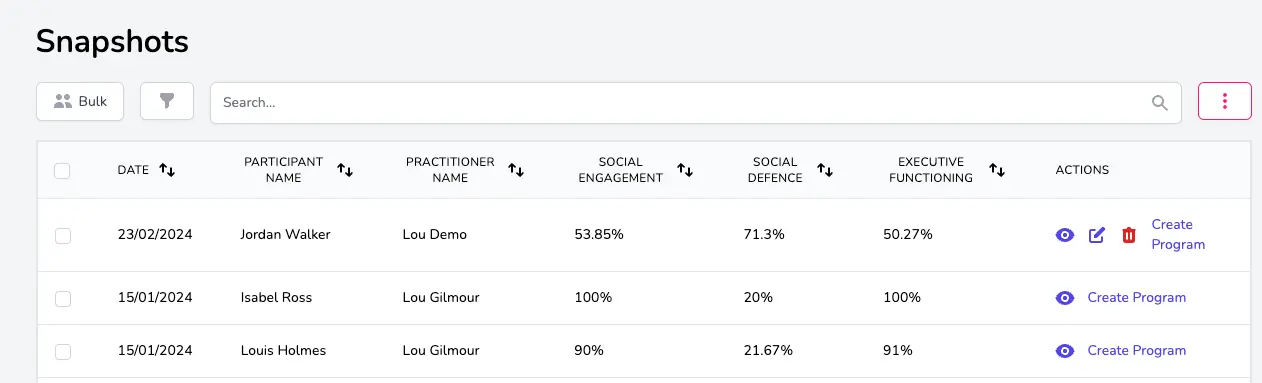
You can also create a new Program from the Snapshot / Groupshots overview page by clicking on the Create Program link in the Actions column on the right: